AFTER PURCHASE
Activating your indicators in ATAS.
We grant your indicators to the ATAS account email you gave at checkout, usually within a few hours. Then enable the assigned modules in ATAS.
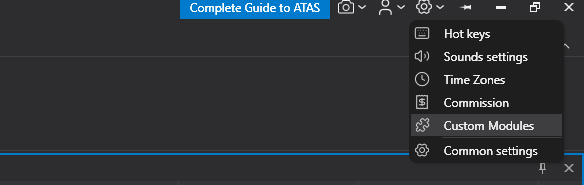
- 1. Open Custom Modulestop-right ⚙ icon in ATAS
- 2. Expand “Available modules”activate your indicators
- 3. Donetools appear in your indicators list
Documentation & support
Already available: PDF guides
Every indicator ships with its own PDF guide covering setup, every setting, and how to read the tool in context. Guides are delivered with your purchase.
Have a question right now?
The FAQ on each product page answers the common ones, and we are an email away for anything else: contact us.
Explore the tools in chart context.
Every indicator page shows real ATAS captures of the tool at work.